Google has introduced a massive shift in technical optimization by giving developers and SEOs a direct window into how autonomous AI systems interact with websites. A brand-new, experimental audit category called “Agentic Browsing” has officially landed inside Chrome Lighthouse.
This update marks a transition from standard human-centric user experience metrics toward auditing site readiness for autonomous task execution. Instead of optimizing exclusively for a human click, the tool checks if an AI browser assistant can independently crawl your infrastructure, process interactive forms, and execute complex workflows without getting stuck.
What the “Agentic Browsing” Suite Evaluates
Unlike classic Lighthouse configurations that output a weighted score from 0 to 100, the Agentic Browsing suite relies on a collection of deterministic signals to highlight where your code breaks machine logic. The audit primarily benchmarks three core components:
- Discoverability via
llms.txt: The tool scans your domain root for a machine-readable summary file. Providing a cleanllms.txtfile acts as an initial roadmap, preventing AI crawlers from wasting computing power rendering heavy, client-side scripts when they only need structural data. - WebMCP Integration Integrity: It monitors your client-side implementation of the Web Model Context Protocol (WebMCP)—checking both HTML declarative forms and JavaScript imperative API tools. It verifies schema symmetry, warning developers if a custom form field is missing its name context or parameter descriptions.
- Agent-Centric Accessibility Trees: Because AI assistants use your code’s underlying accessibility tree as their primary data model to locate active buttons, the audit flags invalid parent-child relationships, hidden elements, or missing aria-labels that would blind an autonomous visitor.
- Visual Layout Stability: High Cumulative Layout Shift (CLS) scores aren’t just bad for humans—they cause major machine errors. If ads or un-dimensioned graphics cause elements to suddenly jump, an AI agent trying to complete a checkout will miss the target coordinate and fail the interaction.
Step-by-Step Setup: Testing Local and Live Sites
Running an agentic audit takes less than five minutes within your current development workflow:
- Update Your Environment: Ensure you are running Chrome 146 or higher (available via the Dev or Canary release tracks).
- Toggle the Flag: Paste
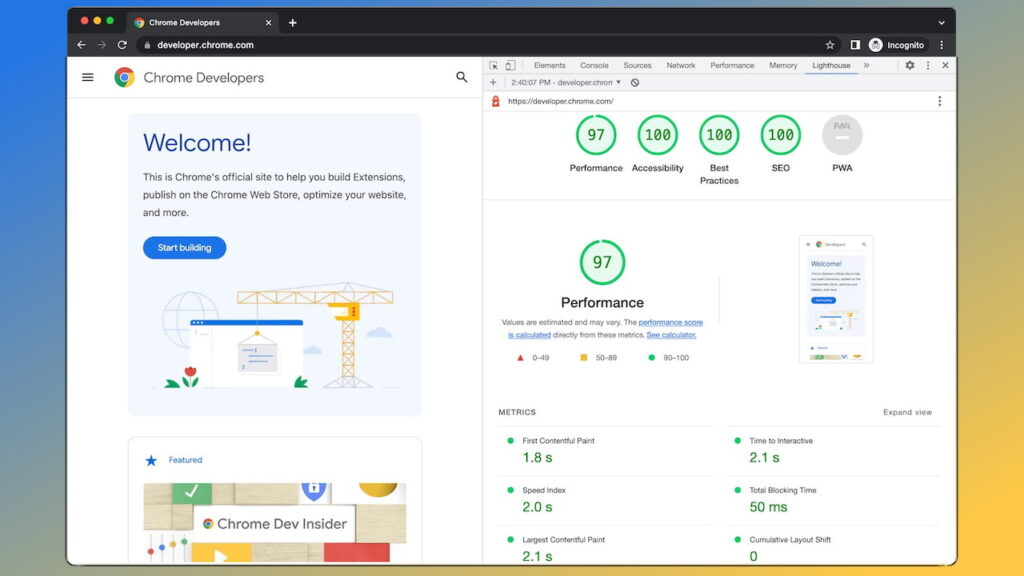
chrome://flags/#enable-webmcp-testinginto your address bar, switch the toggle to Enabled, and click the relaunch prompt to activate the hidden testing APIs. - Configure DevTools: Open your target web page, press F12 to pull up DevTools, and jump to the Lighthouse tab.
- Execute the Analysis: Look for the new “Agentic Browsing” category checkbox, select your device layout (Mobile/Desktop), and click Analyze page load.
Actioning the Diagnostics
Because the protocols driving autonomous web agents are still evolving, do not panic if your landing pages fail certain aspects of the audit today. Many client-side frameworks struggle with real-time tool registration timings during initial snapshot loads.
The immediate win for engineering teams is to focus heavily on semantic HTML, solid ARIA labeling, and visual stability. Fixing these accessibility and performance gaps provides a dual benefit: it optimizes the site for assistive human technologies today while engineering a seamless interface for the autonomous AI systems of tomorrow.
For a deeper look into how web protocols are shifting to accommodate AI assistants, check out this WebMCP Agentic Web Demo, which breaks down how the new developer extensions, live schemas, and declarative browser architectures behave under real-world machine testing.
The Strategic Takeaway
This Lighthouse update highlights that optimization is no longer just about human eyeballs—it is about machine comprehension. As autonomous software increasingly acts as the middleman between your brand and the consumer, engineering a site that AI can effortlessly parse and control will become a major competitive advantage.By prioritizing semantic HTML, fixing visual instability, and experimenting with these new developer tools early, you ensure your digital assets are fully prepared for the next era of search and discovery. Take a few minutes to audit your core landing pages this week, patch the low-hanging accessibility errors, and secure your place in the emerging agentic web ecosystem.
Ready to Prepare Your Website for AI-Powered Browsing?
As AI agents continue to change how users interact with websites, making sure your digital presence is technically prepared is becoming increasingly important. At SEO Transformer, we help businesses strengthen their technical SEO, improve website accessibility and adapt their digital strategies to emerging search technologies.
Contact us to discuss how we can help your website stay visible, accessible and ready for the future of AI-driven search.